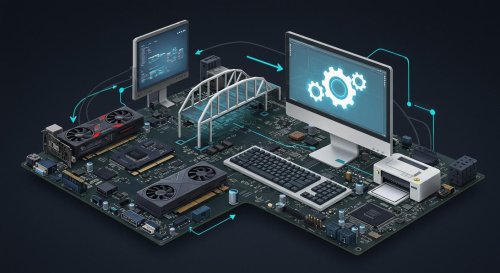

When you power on your computer, it may feel like everything works together seamlessly—your keyboard responds instantly, your screen displays crisp visuals, and your printer produces documents on command. Behind this smooth experience lies a crucial but often overlooked component: device drivers. These small pieces of software act as the bridge between your computer’s hardware and its operating system, ensuring that everything communicates properly and functions as intended.
At its core, a driver is a translator. Hardware components such as graphics cards, printers, sound devices, and network adapters each have their own way of operating. However, your operating system—whether it’s Microsoft Windows, macOS, or Linux—cannot directly control these components without a common language. Drivers provide that language, converting general OS instructions into specific commands that hardware can understand and execute.
Without the correct drivers, your hardware may not work at all—or at best, it will operate with limited functionality. For example, a graphics card without the proper driver might display only basic visuals, preventing you from using high-resolution settings or running demanding applications like games or design software. Similarly, a printer without its driver may not respond to print commands, even if it’s physically connected to your PC.

Drivers also play a major role in performance and stability. Manufacturers regularly release driver updates to improve compatibility, fix bugs, and enhance performance. For instance, updated graphics drivers can significantly boost gaming performance or resolve display issues. Network drivers can improve internet connectivity, while audio drivers can enhance sound quality. Keeping drivers up to date ensures that your system runs efficiently and takes full advantage of your hardware capabilities.
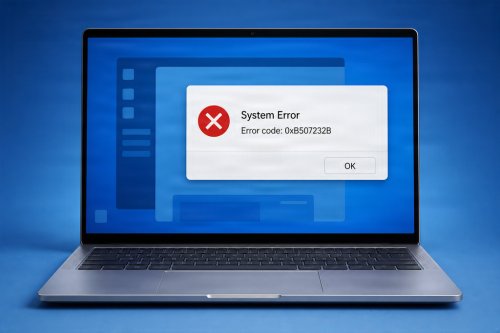
Another important aspect of drivers is compatibility. As operating systems evolve, older drivers may no longer function correctly. This can lead to crashes, errors, or hardware malfunctions. That’s why it’s essential to use drivers that are specifically designed for your current operating system version. Installing incorrect or outdated drivers can cause more harm than good, sometimes leading to system instability or even preventing your PC from booting properly.
Security is another reason drivers matter more than many users realize. Because drivers operate at a low level within the system, they have significant control over hardware operations. If a driver is compromised or poorly designed, it can create vulnerabilities that attackers might exploit. This makes it important to download drivers only from trusted sources, such as the official manufacturer’s website or your operating system’s update service.
Modern operating systems have made driver management easier than ever. Platforms like Windows Update can automatically detect and install many drivers, reducing the need for manual setup. However, for specialized hardware—such as high-end graphics cards or professional audio equipment—users often need to install drivers directly from the manufacturer to access advanced features and optimizations.
Despite their importance, drivers usually run quietly in the background, unnoticed by most users. This invisibility can lead people to overlook them entirely—until something goes wrong. A malfunctioning device, unexpected crash, or missing feature often traces back to a driver issue. Understanding their role helps users troubleshoot problems more effectively and maintain a healthier, more reliable system.

In essence, drivers are the invisible translators that keep your computer’s ecosystem functioning smoothly. They connect the physical and digital worlds, ensuring that hardware and software work in harmony. Without them, even the most powerful PC would struggle to perform basic tasks. By keeping your drivers updated and properly managed, you ensure that your system remains efficient, stable, and secure.
 Like
0
Like
0
 Dislike
0
Dislike
0
 Love
0
Love
0
 Funny
0
Funny
0
 Angry
0
Angry
0
 Sad
0
Sad
0
 Wow
0
Wow
0