
In today's digital world, cyber threats are constantly evolving. Businesses and individuals alike face challenges ranging from phishing scams and ransomware attacks to sophisticated hacking attempts that can compromise sensitive information. Two terms that frequently appear in cybersecurity discussions are Zero Trust and Zero Day. While they may sound similar, they represent two very different concepts in the world of security.
Understanding these terms and implementing practical security measures can significantly improve your protection against cyber threats.
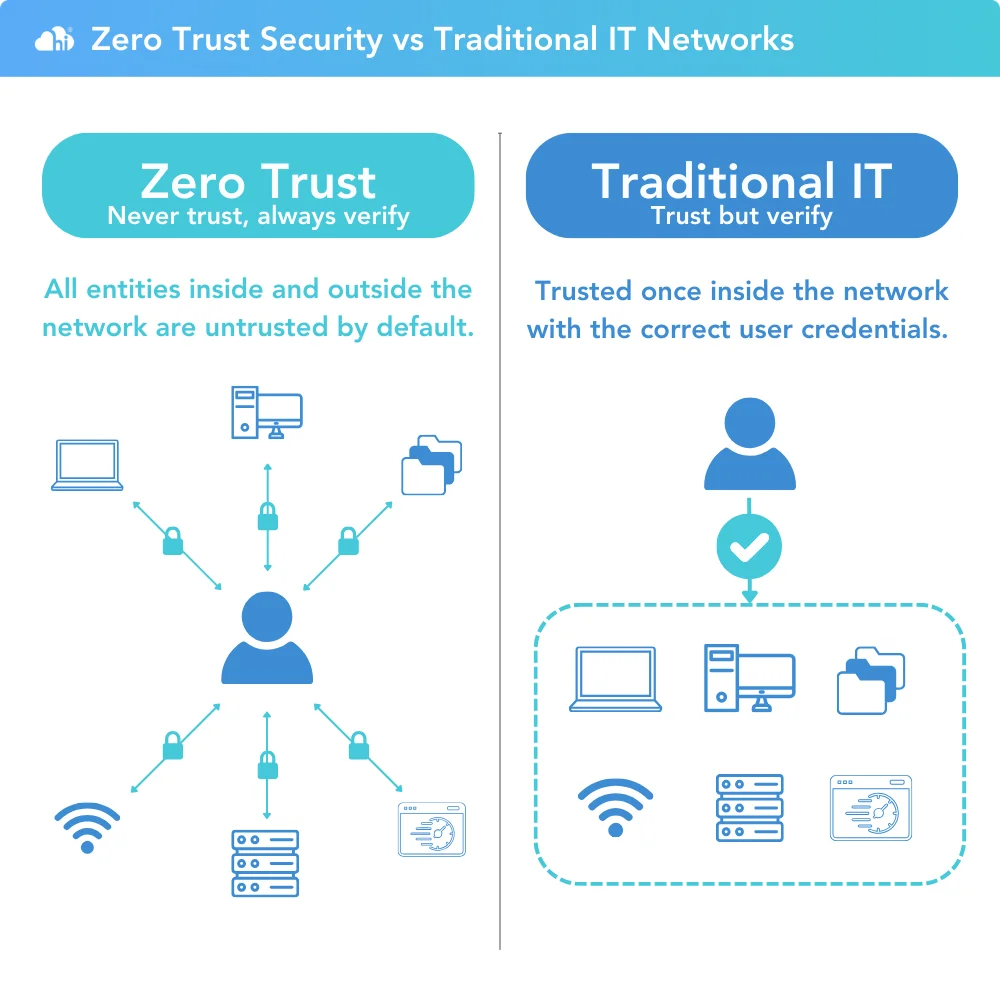
Zero Trust is a cybersecurity framework based on a simple principle:
"Never trust, always verify."
Traditionally, organizations assumed that users and devices inside their network could be trusted. However, with remote work, cloud services, and mobile devices, this approach is no longer sufficient.
Under a Zero Trust model:

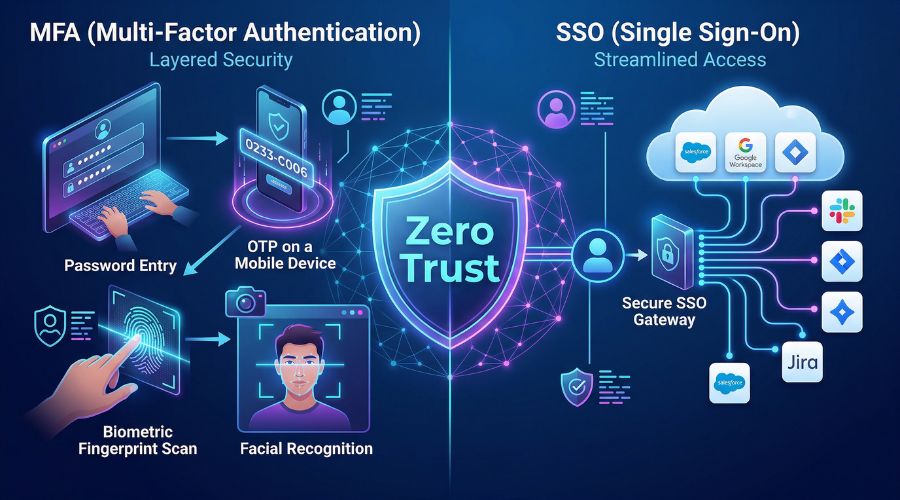
Require strong authentication methods such as:
Employees and users should only have access to the information they need.
Track unusual behavior and respond quickly to suspicious activities.
Design systems with the assumption that attackers may already have gained access somewhere within the network.
A Zero Day vulnerability is a software flaw that is unknown to the software vendor or has not yet been patched.
A Zero Day attack occurs when cybercriminals discover and exploit this vulnerability before developers can release a fix.
The term "Zero Day" refers to the fact that developers have had zero days to address the vulnerability.
Some of the most significant cyberattacks in history have involved Zero Day vulnerabilities, affecting governments, businesses, and millions of users worldwide.
Although no system is completely immune to cyber threats, adopting the following practices can greatly improve your security.
Passwords alone are no longer enough.
MFA requires users to provide additional verification, such as:
This simple step dramatically reduces the risk of unauthorized access.
Many cyberattacks exploit vulnerabilities that already have available patches.
Make sure to:
Avoid:
Consider using a password manager to generate and store secure passwords.
Regular backups can save your organization from devastating ransomware attacks.
Follow the 3-2-1 backup rule:
Human error remains one of the biggest security risks.
Train employees and family members to:
Modern security software can help detect:
Endpoint security solutions provide another layer of protection against evolving threats.
Users should only have access to the information and systems necessary to perform their jobs.
Limiting permissions reduces the damage attackers can cause if an account becomes compromised.
Continuous monitoring can help identify:
Early detection often prevents small incidents from becoming major breaches.
Zero Trust and Zero Day address different aspects of cybersecurity:
| Zero Trust | Zero Day |
|---|---|
| Security strategy | Software vulnerability |
| Focuses on verification | Focuses on unknown flaws |
| Prevents unauthorized access | Exploited before patches exist |
| Reduces attack impact | Requires rapid response |
A strong cybersecurity posture combines both concepts:
Cybersecurity is no longer optional. Whether you're an individual protecting personal information or a business safeguarding sensitive data, understanding concepts like Zero Trust and Zero Day can help you make smarter security decisions.
The good news is that improving security doesn't always require expensive tools or advanced technical knowledge. Simple actions such as enabling MFA, updating software, educating users, and limiting access can dramatically reduce your risk.
In a world where cyber threats evolve every day, adopting a proactive security mindset is one of the best investments you can make.

By combining Zero Trust principles with proactive defenses against Zero Day threats, individuals and organizations can build stronger, more resilient cybersecurity practices.
 Like
0
Like
0
 Dislike
0
Dislike
0
 Love
0
Love
0
 Funny
0
Funny
0
 Angry
0
Angry
0
 Sad
0
Sad
0
 Wow
0
Wow
0