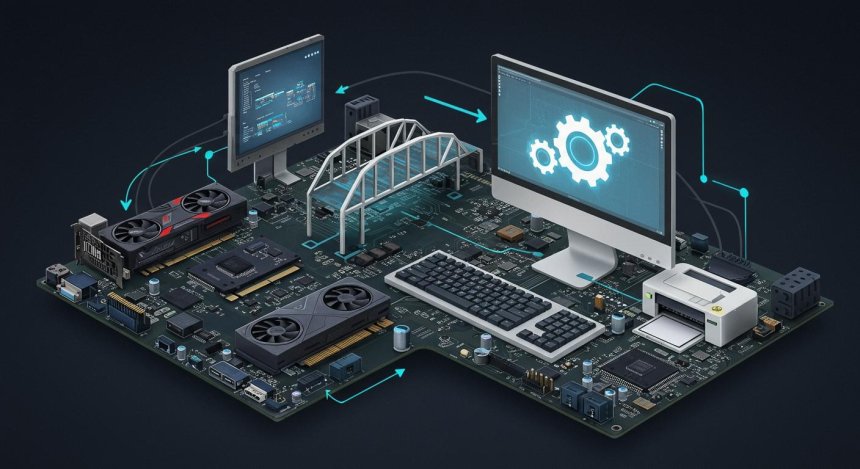
How Drivers Work: A Technical Deep Dive into the Role of a Driver
Discover how device drivers work, their role in operating systems, and why they are essential for communication between hardware and software. A technical deep dive into driver architecture, types, and best practices.
How Drivers Work: A Technical Deep Dive into the Role of a Driver
Written by : Raymond
Published on 2026-06-27 / 23:02

How Drivers Work: A Technical Deep Dive into the Role of a Driver

Modern computers rely on countless hardware components working together seamlessly. Whether you're using a keyboard, printer, graphics card, webcam, or network adapter, all these devices need a way to communicate with the operating system and applications. This communication is made possible through device drivers.

Although most users only encounter drivers when installing a new device or troubleshooting an issue, drivers are among the most critical pieces of system software. Without them, your operating system would have no standardized way to control hardware.

This article explores how drivers work, their architecture, and why they are essential to modern computing.

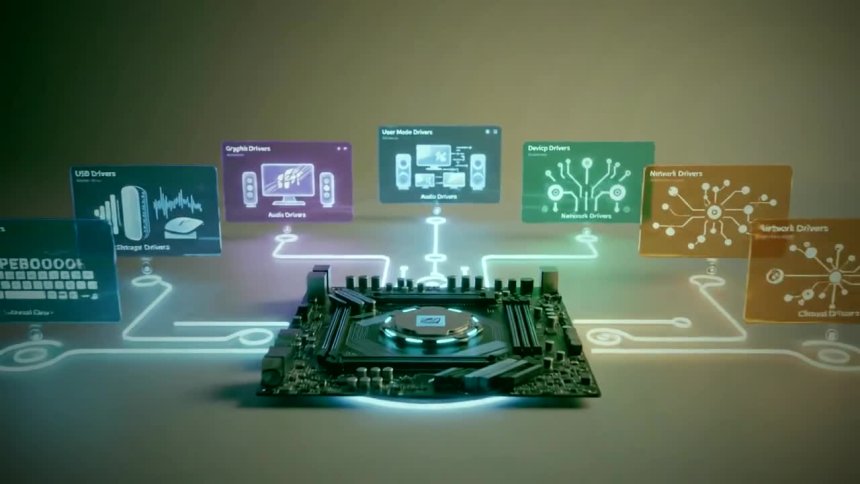
Device Driver: Types of device drivers | Lenovo US

What Is a Device Driver?

A device driver is a specialized software component that allows the operating system to communicate with hardware devices.

Think of a driver as a translator between:

  • The operating system and applications
  • The hardware device
  • The device's firmware

Each hardware device has unique commands and capabilities. Drivers convert generic operating system requests into instructions that the hardware can understand.

For example:

  • A printer driver translates a print command into a format that the printer can process.
  • A graphics driver converts rendering instructions into commands that the GPU understands.
  • A network driver manages data transmission between the operating system and the network adapter.

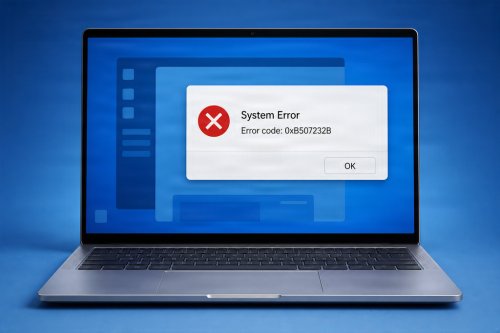
6 Ways to Fix the “Windows Encountered a Problem Installing the Driver  Software for Your Device” Error

Why Drivers Are Necessary

Operating systems cannot include direct support for every hardware device ever created.

Drivers provide:

  • Hardware abstraction
  • Device compatibility
  • Performance optimization
  • Standardized communication
  • Advanced hardware features

Without drivers, operating systems would need to be rewritten for every new hardware component introduced to the market.

How Drivers Fit into the System Architecture

A simplified hardware communication path looks like this:

Application

Operating System

Device Driver

Hardware Device

Applications generally do not communicate directly with hardware. Instead, they make requests to the operating system, which passes those requests to the appropriate driver.

This layered approach improves:

  • Stability
  • Security
  • Hardware compatibility
  • Resource management

Types of Device Drivers

1. Kernel-Mode Drivers

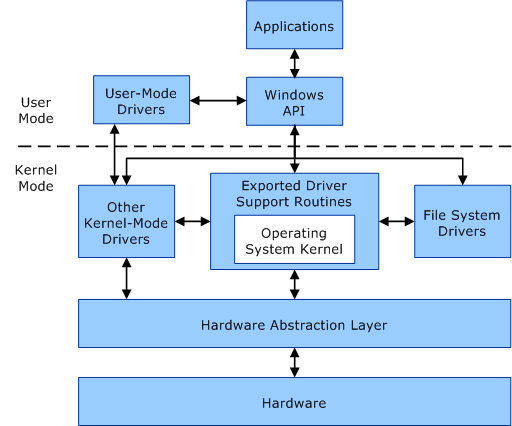
Kernel-mode drivers run with high system privileges and have direct access to system resources.

Examples include:

  • Storage drivers
  • Graphics drivers
  • Network drivers

Advantages:

  • High performance
  • Low-level hardware access

Disadvantages:

  • Bugs can cause system crashes or blue screens.

User Mode and Kernel Mode - Windows drivers | Microsoft Learn

2. User-Mode Drivers

User-mode drivers run outside the operating system kernel.

Examples:

  • Some printer drivers
  • USB device drivers
  • Certain virtual device drivers

Advantages:

  • Improved security
  • Better system stability

Disadvantages:

  • Slightly lower performance.

3. Virtual Device Drivers

These drivers emulate hardware that does not physically exist.

Examples:

  • Virtual network adapters
  • Virtual disk drives
  • Hypervisor drivers

Virtual drivers are widely used in cloud computing and virtualization environments.

Driver Communication Process

Let's examine what happens when you press a key on your keyboard.

Step 1: Hardware Generates an Interrupt

The keyboard detects a key press and sends an interrupt signal to the CPU.

Step 2: Operating System Receives the Interrupt

The operating system recognizes that the keyboard requires attention.

Step 3: Driver Processes the Input

The keyboard driver interprets the hardware signal.

Step 4: Data Is Sent to Applications

The operating system delivers the character to the active application.

This process happens in milliseconds.

Input/Output Requests (I/O Requests)

Drivers process Input/Output Requests (I/O Requests) from the operating system.

Examples:

  • Read data from storage
  • Write information to a printer
  • Send packets through a network card
  • Display graphics on a monitor

The operating system uses I/O request packets or similar mechanisms to communicate with drivers.

Driver Initialization

When a computer starts:

  1. Hardware is detected.
  2. The operating system loads necessary drivers.
  3. Drivers initialize the hardware.
  4. Devices become available for use.

If a required driver is missing, the hardware may:

  • Fail to function
  • Operate with limited features
  • Not be detected at all

Plug and Play (PnP)

Modern operating systems use Plug and Play (PnP) technology.

PnP automatically:

  • Detects new hardware
  • Finds appropriate drivers
  • Configures devices
  • Allocates system resources

This is why many USB devices work immediately after being connected.

Driver Signing and Security

Drivers run with significant privileges, especially in kernel mode.

Because of this, operating systems often require:

  • Digitally signed drivers
  • Driver verification
  • Security checks

Unsigned or malicious drivers can:

  • Compromise system security
  • Cause instability
  • Enable malware attacks

Driver Updates

Manufacturers release driver updates to:

  • Fix bugs
  • Improve performance
  • Add new features
  • Address security vulnerabilities
  • Improve compatibility with new operating system versions

Examples:

  • Graphics driver updates for new games
  • Network driver security patches
  • Storage controller performance improvements

Common Driver Problems

Outdated Drivers

May cause:

  • Performance issues
  • Hardware malfunctions
  • Security vulnerabilities

Corrupted Drivers

Can result in:

  • Device errors
  • System crashes
  • Missing hardware functionality

Incompatible Drivers

May occur after:

  • Operating system upgrades
  • Hardware replacements
  • Incorrect installations

Driver Development Challenges

Developing device drivers is complex because developers must:

  • Understand hardware architecture
  • Manage memory efficiently
  • Handle interrupts
  • Prevent system crashes
  • Maintain compatibility across operating system versions

Even small coding errors can lead to serious system instability.
The Future of Device Drivers

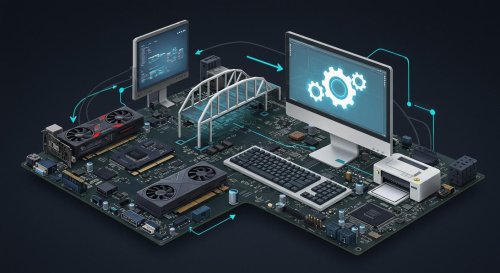
Device Drivers - The Backbone of Modern Computing

Modern computing trends are changing how drivers are developed.

Emerging technologies include:

  • Driver isolation
  • Virtualized drivers
  • Cloud-managed hardware
  • AI-assisted diagnostics
  • Enhanced driver security models

Operating systems continue to improve driver frameworks to increase reliability and reduce security risks.

Conclusion

Device drivers are the invisible bridge between software and hardware. They enable operating systems to communicate with the vast array of devices that power modern computing.

From keyboard input and network communication to graphics rendering and storage management, drivers play a fundamental role in every computing experience.

Understanding how drivers work not only helps with troubleshooting and system maintenance but also provides valuable insight into the architecture that makes modern computers function efficiently and securely.

Article Summary

  • Device drivers act as translators between hardware and the operating system.
  • Drivers process hardware requests and manage communication.
  • Kernel-mode drivers offer performance but carry higher risks.
  • User-mode drivers provide better stability and security.
  • Plug and Play simplifies hardware installation.
  • Driver updates improve performance, compatibility, and security.
  • Proper driver management is essential for maintaining a stable and secure computer system.

What's Your Reaction?

Like Like 0
Dislike Dislike 0
Love Love 0
Funny Funny 0
Angry Angry 0
Sad Sad 0
Wow Wow 0

Related Posts