In today's interconnected digital world, personal and business information has become one of our most valuable assets. From personal photos and financial records to confidential business documents and customer information, we depend on digital files for everyday activities.
However, as our reliance on technology increases, so do the risks of cyberattacks.
One of the most dangerous cybersecurity threats is ransomware. This type of malicious software can lock users out of their files, encrypt important data, and demand payment in exchange for restoring access. In many cases, cybercriminals also steal sensitive information and threaten to publish or sell it unless their demands are met.
Ransomware is no longer just a technical problem. It is a serious threat to data privacy, personal security, business operations, and digital trust.
Understanding how ransomware works, how it compromises private information, and how to protect your files is essential for individuals and organizations worldwide.
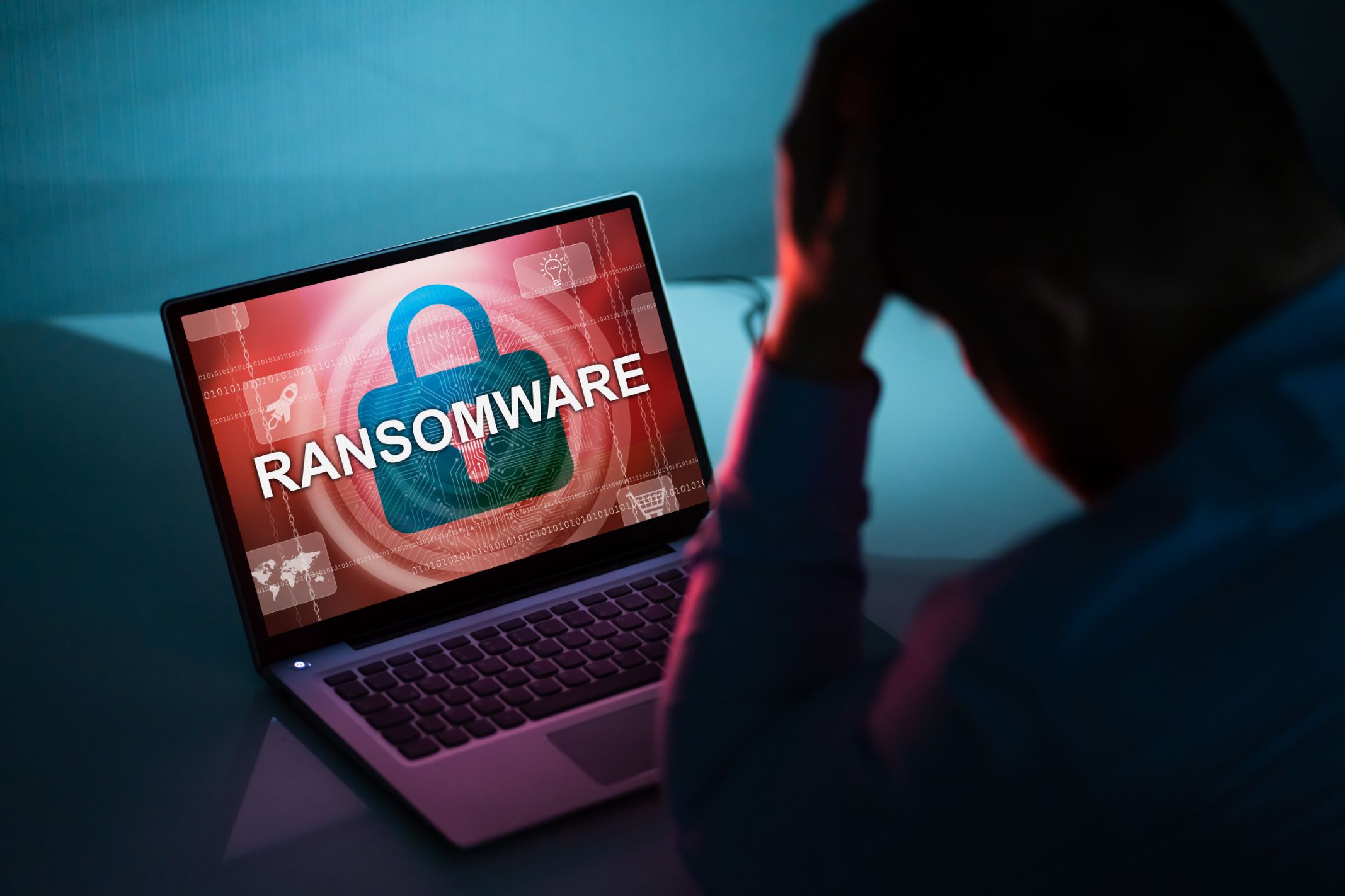
Ransomware is a type of malicious software designed to prevent users from accessing their files or computer systems until a ransom is paid.
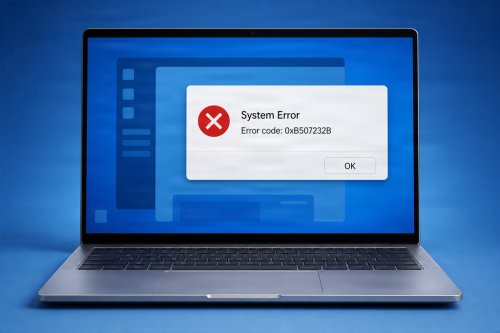
Once ransomware infects a device, it typically encrypts files, making them inaccessible without the appropriate decryption key. Victims may see a ransom note explaining what happened and providing instructions for making a payment, often through cryptocurrency.
Common ransomware targets include:
Personal computers and laptops
Business networks and servers
Cloud-connected storage systems
Healthcare organizations
Government institutions
Educational institutions
Financial organizations
Ransomware attacks can affect anyone, regardless of their location, industry, or the amount of information they store.

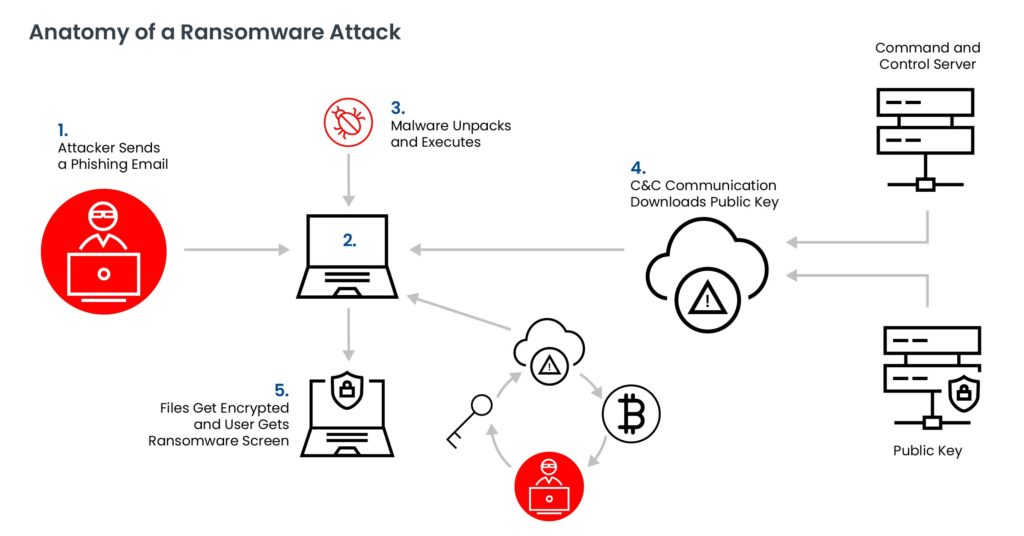
Ransomware can enter a computer through several methods. Cybercriminals often exploit human mistakes, outdated software, and security vulnerabilities to gain access to devices and networks.
Here are some of the most common infection methods.
Phishing Emails
Phishing is one of the most common methods used to distribute ransomware. Attackers send emails that appear to come from legitimate companies, banks, delivery services, or colleagues.
These messages may contain malicious attachments or links. Opening an infected attachment or visiting a compromised website can expose a device to malware.
Malicious Downloads
Downloading software, games, applications, or files from untrusted websites can expose your computer to ransomware.
Some malicious downloads are disguised as legitimate programs, software updates, or free applications.
Outdated Software
Operating systems and applications that are not regularly updated may contain security vulnerabilities. Cybercriminals can exploit these weaknesses to install malware or gain unauthorized access.
Remote Access Attacks
Poorly secured remote access connections can provide attackers with a way to enter computer systems. Weak passwords, exposed remote desktop services, and missing security controls can increase this risk.
Compromised Websites
Some websites may contain malicious scripts or redirect visitors to harmful downloads. Browsing unsafe websites can expose users to cybersecurity threats, particularly when their browsers or plugins are outdated.
Many people associate ransomware with losing access to their files. However, modern ransomware attacks can create an even greater problem: data exposure.
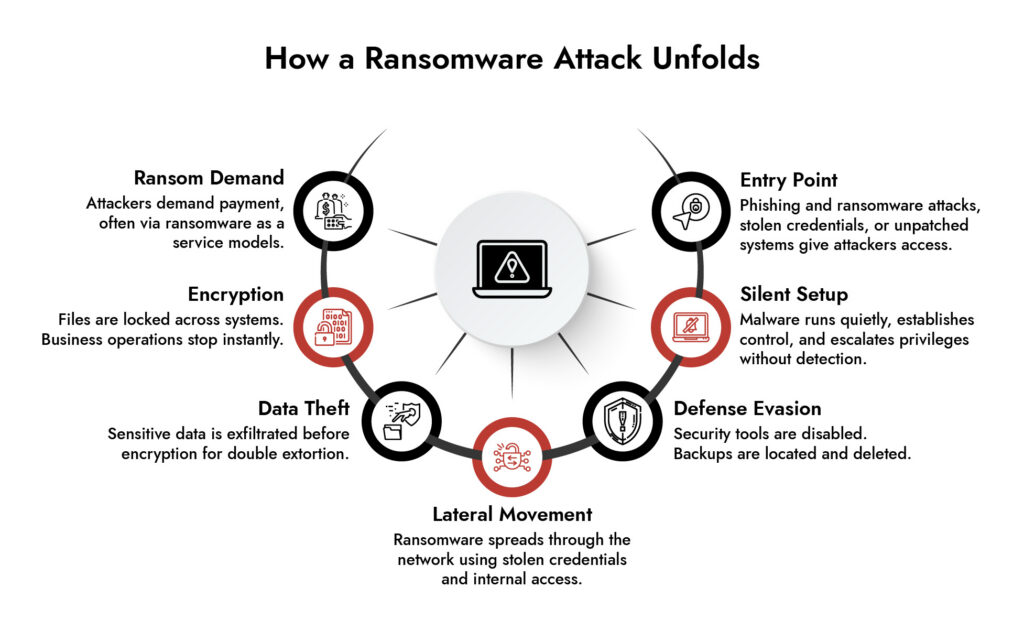
Some ransomware groups use a technique called double extortion. Instead of simply encrypting files, attackers first steal sensitive information and then encrypt the victim's systems.
They threaten to publish, leak, or sell the stolen information if the victim refuses to pay.
This creates several serious privacy risks.
Exposure of Personal Information
Cybercriminals may steal names, home addresses, phone numbers, identification documents, financial records, and other sensitive personal information.
Financial Fraud and Identity Theft
Stolen personal and financial information can be used for fraudulent transactions, impersonation, identity theft, and other criminal activities.
Leakage of Confidential Business Data
Businesses may lose control of customer databases, employee records, contracts, internal communications, intellectual property, and confidential company documents.
Reputational Damage
When private information becomes publicly accessible, individuals and organizations may lose the trust of customers, employees, partners, and stakeholders.
Legal and Regulatory Consequences
Organizations that fail to protect sensitive information may face regulatory investigations, legal claims, reporting obligations, and financial penalties depending on applicable privacy and data protection laws.
Ransomware therefore threatens both the availability and confidentiality of information.
Recognizing suspicious computer behavior early can help reduce potential damage.
Watch out for these warning signs:
Files suddenly become inaccessible or display unusual extensions.
You receive unexpected messages demanding payment.
Your computer becomes unusually slow or unresponsive.
Unknown applications or processes appear on your device.
Security software becomes disabled without your permission.
You notice unusual network activity or unexpected data transfers.
Files or folders appear to have been renamed, moved, or modified.
These symptoms do not always indicate a ransomware infection, but they should never be ignored.
If you suspect an infection, avoid opening suspicious files or attempting random fixes that could make the situation worse.
Preventing ransomware requires a combination of safe online habits, updated software, and reliable security practices.
Here are practical steps you can take to protect your personal and business files.
1. Keep Your Operating System Updated
Install security updates for Windows, macOS, browsers, and other applications. Updates often fix vulnerabilities that attackers may exploit.
2. Use Reliable Antivirus and Anti-Malware Protection
A reputable security solution can help detect, block, and remove malicious software before it causes serious damage.
Make sure your security software is updated and that real-time protection is enabled.
3. Back Up Important Files Regularly
Backups are among the most effective ways to recover from ransomware attacks.
Maintain multiple copies of important files, including at least one backup that is offline or otherwise isolated from your primary computer.
Follow the 3-2-1 backup strategy:
Keep three copies of your important data.
Store them on two different types of storage media.
Keep one copy offsite or in a separate, protected location.
Regularly test your backups to make sure your files can actually be restored.
4. Avoid Suspicious Emails and Attachments
Do not open unexpected attachments or click links from unknown senders. Even emails that appear legitimate should be checked carefully before interacting with their contents.
5. Use Strong and Unique Passwords
Create strong passwords for your accounts and avoid reusing the same password across multiple platforms.
Enable multi-factor authentication (MFA) whenever possible, particularly for email, cloud storage, and remote access accounts.
6. Download Software From Trusted Sources
Only install applications from official websites, trusted app stores, or verified software providers.
Avoid pirated software, suspicious installers, and unofficial activation tools.
7. Limit User Access and Permissions
Avoid using an administrator account for everyday activities. Businesses should also limit access to sensitive files based on employee responsibilities.
This can reduce the potential damage if an account or device becomes compromised.
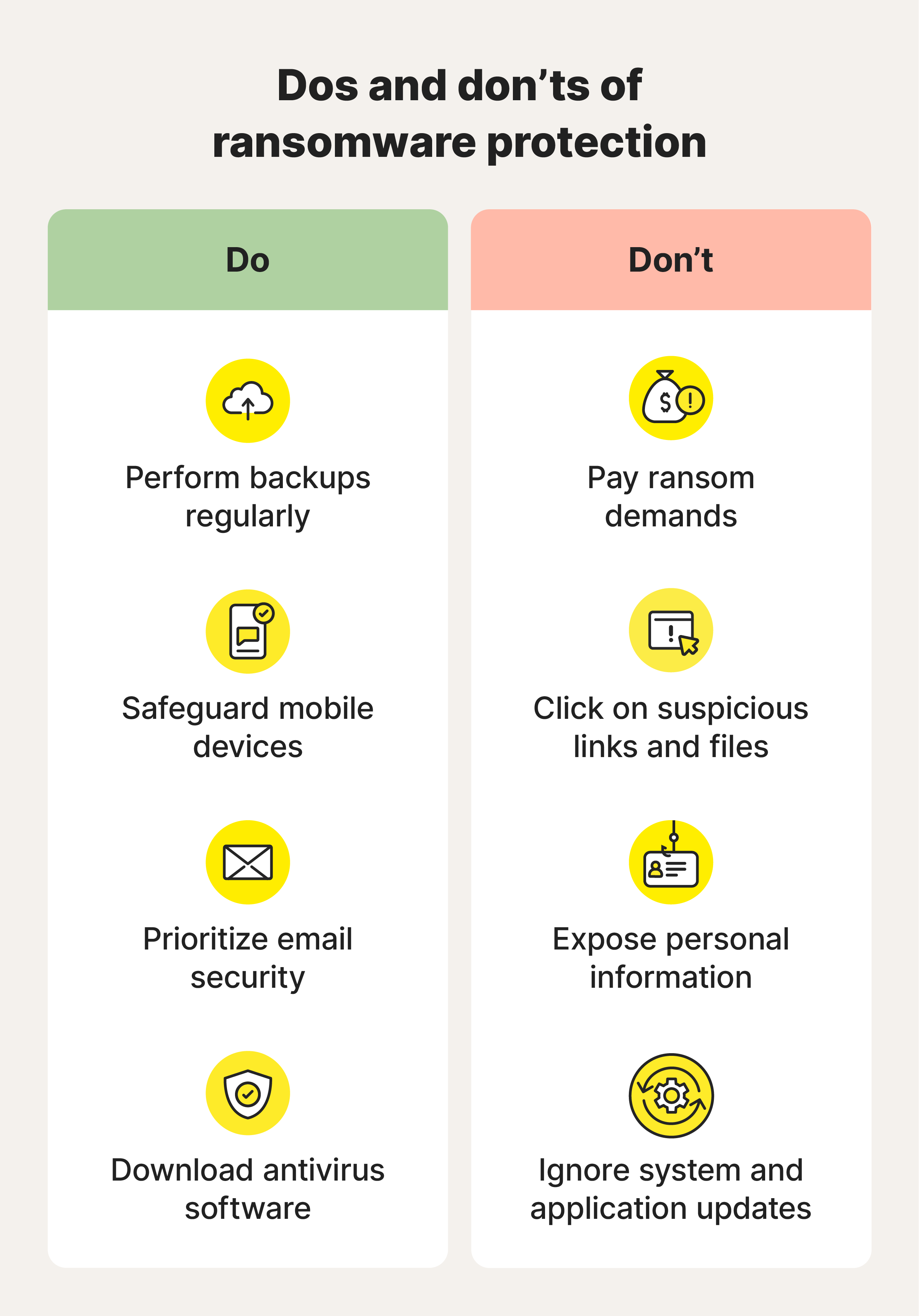
If you believe ransomware has infected your computer, acting quickly and carefully is important.
Follow these steps:
Step 1: Disconnect From the Network
Disconnect the affected device from Wi-Fi, Ethernet, and other network connections to help prevent ransomware from spreading to other systems.
Step 2: Do Not Pay the Ransom Immediately
Paying does not guarantee that cybercriminals will restore your files. Attackers may demand additional payments, fail to provide working decryption tools, or retain stolen information.
Step 3: Contact a Cybersecurity Professional
Seek assistance from a qualified IT or cybersecurity professional who can assess the infection, identify the ransomware variant, and recommend appropriate recovery steps.
Step 4: Preserve Important Evidence
Keep ransom notes, suspicious emails, and relevant system information. These details may help cybersecurity professionals identify the attack.
Step 5: Restore From Clean Backups
If reliable backups are available, restore your files only after the compromised system has been properly cleaned and secured.
Step 6: Secure Your Accounts
Change passwords from a clean device, enable multi-factor authentication, and review accounts for suspicious activity.
If sensitive personal information may have been stolen, consider taking additional steps to protect your identity and financial accounts. Organizations should also assess their legal and regulatory obligations regarding potential data breaches.
Data privacy is a worldwide concern. Governments and regulatory organizations have introduced laws and frameworks to protect personal information and establish responsibilities for organizations that collect, process, and store data.
Some notable examples include:
General Data Protection Regulation (GDPR)
The General Data Protection Regulation (GDPR) establishes data protection requirements for organizations processing personal information within its scope, including certain organizations outside the European Union that handle the personal data of individuals in the EU.
It emphasizes transparency, accountability, data security, and individual privacy rights.
California Consumer Privacy Act (CCPA), as amended by the CPRA
The California Consumer Privacy Act (CCPA) gives eligible California residents specific rights concerning their personal information, including rights to know, delete, and opt out of certain data-sharing practices.
Personal Information Protection and Electronic Documents Act (PIPEDA)
Canada's PIPEDA establishes rules for how covered private-sector organizations handle personal information during commercial activities.
Personal Information Protection Law (PIPL)
China's Personal Information Protection Law (PIPL) establishes requirements for processing personal information and protecting individual privacy.
Although these regulations differ in their requirements and geographical scope, they share an important objective: protecting personal information and encouraging responsible data management.
Organizations must understand which laws apply to their operations and implement appropriate technical and organizational safeguards.
Recovering from a ransomware attack can be expensive, time-consuming, and stressful.
Individuals may lose years of personal photos, important documents, and other irreplaceable files. Businesses may experience operational interruptions, financial losses, damaged reputations, and possible legal consequences.
A proactive cybersecurity strategy can significantly reduce these risks.
Regular software updates, reliable security protection, strong passwords, employee awareness, access controls, and secure backups create multiple layers of defense.
No single security measure can guarantee complete protection, but combining these practices makes it much harder for attackers to succeed.

Ransomware is more than a computer problem. It is a serious cybersecurity and data privacy threat that can affect individuals, families, and businesses anywhere in the world.
Understanding how ransomware spreads, recognizing warning signs, and implementing preventive security measures can help protect your files and sensitive information.
Remember that your digital files represent more than just data. They may contain personal memories, financial records, business information, and details that should remain private.
Don't wait until an attack happens before taking action. Keep your devices updated, use reliable security software, back up important files, and stay cautious when browsing the internet.
Your data is valuable. Protect it before cybercriminals put it at risk.
 Like
0
 Dislike
0
 Love
0
 Funny
0
 Angry
0
 Sad
0
 Wow
0