Computers have become an essential part of everyday life. We use them for work, communication, banking, shopping, entertainment, and storing important personal information. But as our dependence on technology grows, so does the risk of malicious software—commonly known as malware.
Malware can affect almost any computer, regardless of whether it is used at home, in a business, or in an organization. Some infections are designed to steal information, while others can damage files, disrupt operations, monitor activity, or give attackers unauthorized access to a device.
Understanding how malware works and recognizing common warning signs can help users take the right steps to protect their computers and personal information.

Malware is short for malicious software. It refers to software intentionally created to disrupt, damage, exploit, monitor, or gain unauthorized access to a computer system or network.
Malware can arrive through many different channels. A user might unknowingly download an infected program, open a malicious email attachment, click a fraudulent link, visit a compromised website, or install software from an untrusted source.
Once installed, malware may operate quietly in the background or immediately display noticeable symptoms. Some threats are designed to remain hidden for extended periods, making them particularly difficult to detect without appropriate security tools.
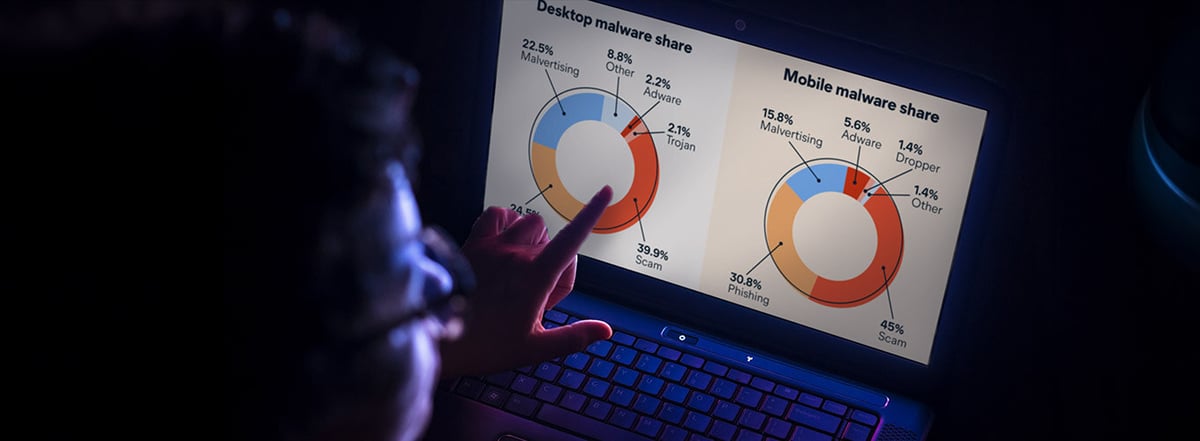
Malware comes in many forms, and each type can behave differently.
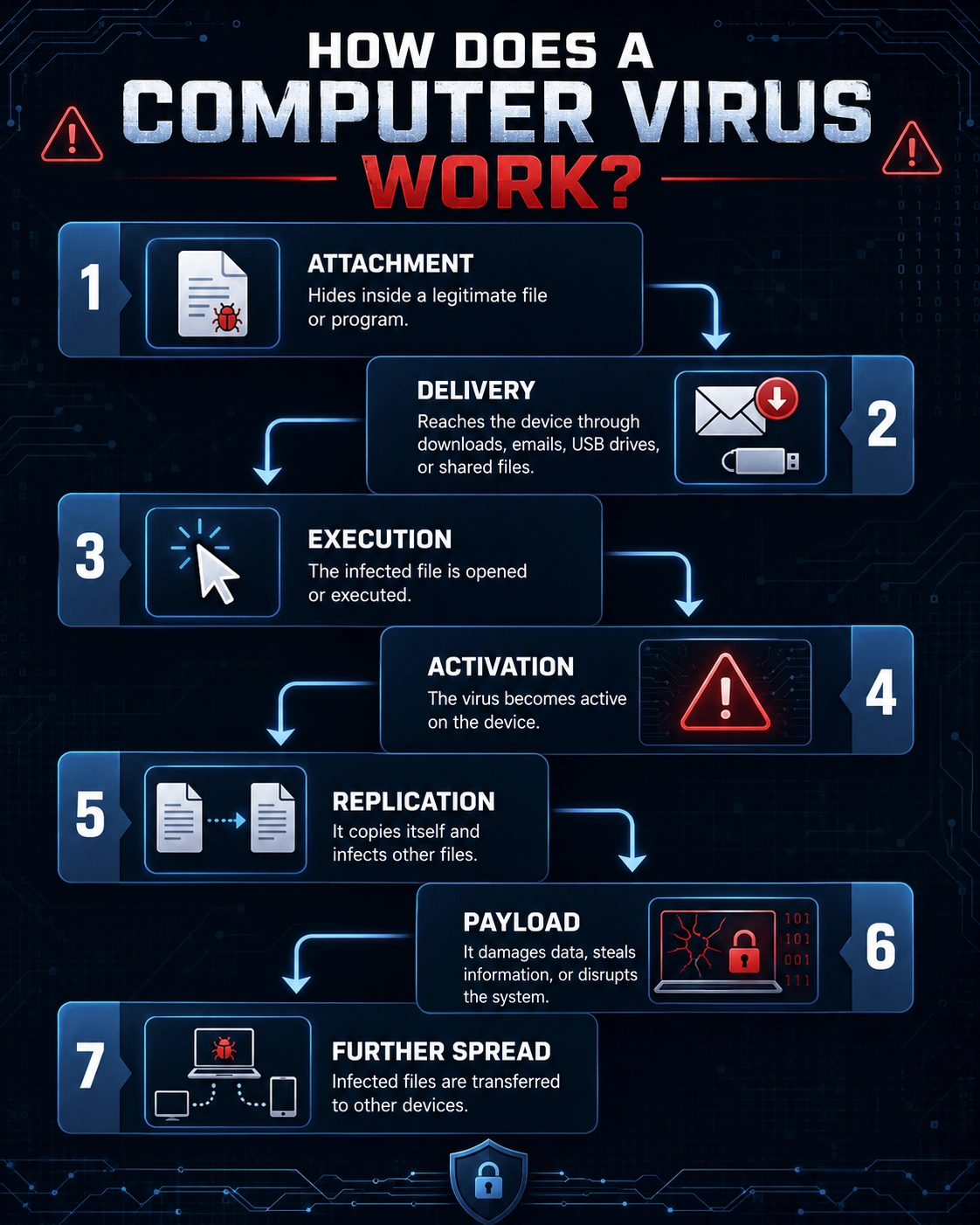
A computer virus is malicious code that can attach itself to legitimate files or programs. When an infected file is executed, the virus may spread to other files or systems.
Viruses can corrupt files, reduce system performance, or interfere with normal computer operations.
Worms are designed to spread automatically from one computer to another, often across networks. Unlike traditional viruses, worms do not necessarily need a user to execute an infected file to spread.
Because they can replicate quickly, worms can affect large numbers of systems in a relatively short period.
A Trojan disguises itself as legitimate or useful software. A user may believe they are installing a normal application, but the program secretly performs malicious activities.
Trojans can be used to steal information, install additional malware, or provide unauthorized access to a computer.
Ransomware is malware that can restrict access to files or systems and demand payment from victims.
One common form encrypts files, making them inaccessible without a decryption mechanism. Ransomware attacks can cause significant disruption to individuals, businesses, schools, and other organizations.
Maintaining reliable backups is an important part of preparing for this type of threat.
Spyware is designed to secretly monitor activity or collect information from a device.
Depending on the specific malware, it may collect browsing information, credentials, personal data, or other sensitive information.
Adware is software that displays unwanted advertisements. While some forms of adware are primarily disruptive, others may be associated with potentially unwanted applications or unsafe websites.
Unexpected pop-ups, browser redirects, and excessive advertising can be warning signs that something unwanted has been installed.
Keyloggers record a user's keystrokes. Criminals can potentially use them to capture usernames, passwords, messages, and other sensitive information.
Because keyloggers may operate silently, users might not realize that their activity is being monitored.
Rootkits are designed to hide malicious activity and maintain unauthorized access to a system. They can be particularly difficult to detect because they may attempt to conceal files, processes, or other evidence of their presence.

Malware infections can begin with something as simple as a single click.
Common infection methods include:
Social engineering is also a major part of many malware attacks. Instead of relying only on technical vulnerabilities, attackers may manipulate users into installing malicious software or revealing information.
For example, a fake security warning may claim that a computer is infected and instruct the user to download a particular program. The supposed security tool may actually be the malware.
The consequences of malware can range from minor inconvenience to serious financial and operational damage.
Malware can potentially steal passwords, financial information, personal documents, and other sensitive data.
Attackers may use stolen credentials to commit fraud, demand ransomware payments, or gain access to financial accounts.
Certain malware can delete, corrupt, or encrypt files and interfere with normal computer functions.
Spyware and other monitoring tools can expose personal activity and sensitive information.
Malware may consume CPU, memory, storage, or network resources, resulting in slow performance.
Some malware can provide attackers with remote access to an infected computer, allowing them to perform additional malicious activities.

No single symptom proves that a computer is infected, but several unusual changes can justify further investigation.
Potential warning signs include:
Some malware infections produce almost no visible symptoms, which is why preventive security measures are important.
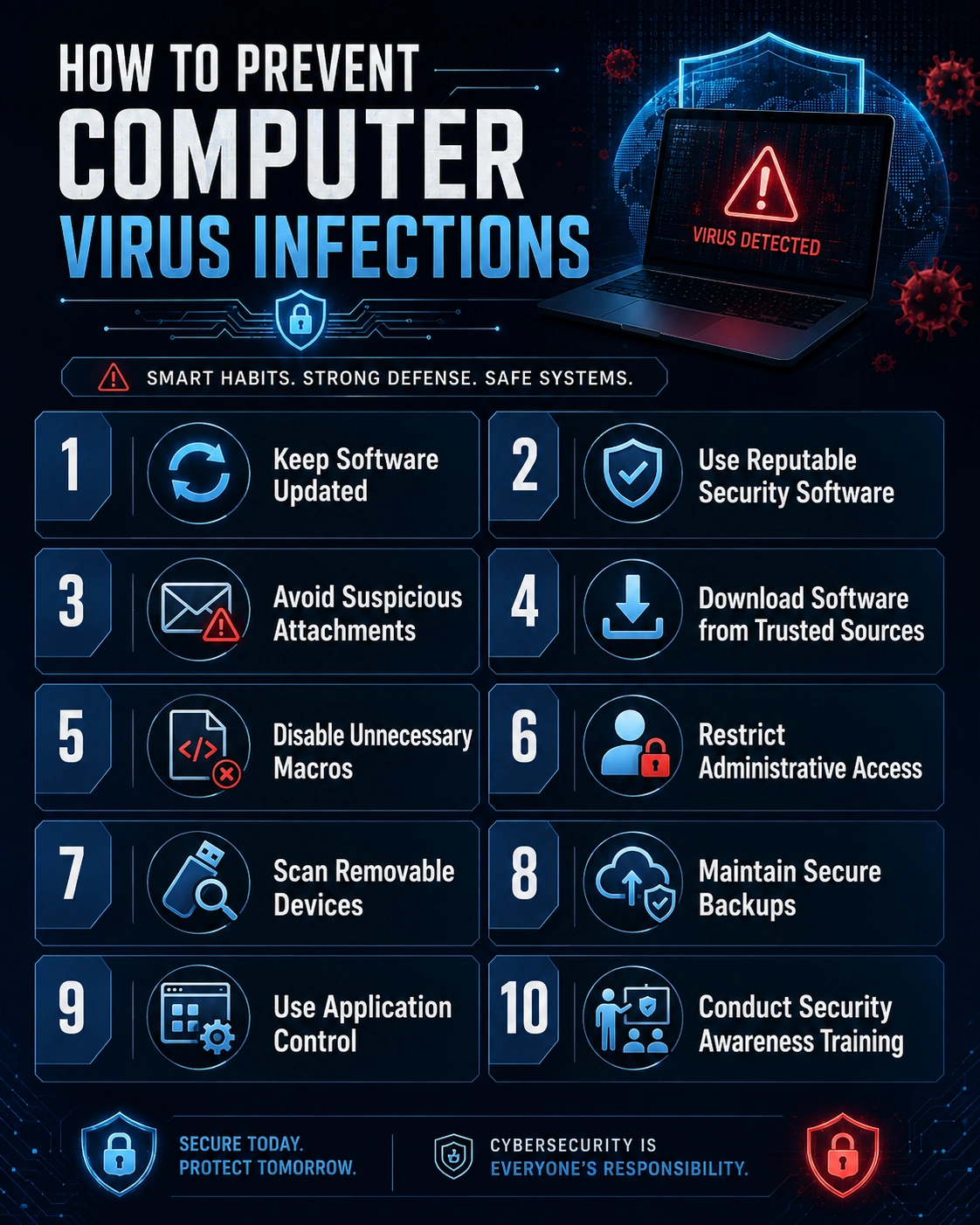
Good cybersecurity is not based on a single program or setting. It involves several layers of protection.
Operating system updates frequently include security fixes. Delaying important updates can leave known vulnerabilities exposed.
Enable automatic updates when practical and restart your computer when required to complete security updates.
Operating systems are not the only software that can contain security vulnerabilities. Web browsers, productivity applications, media players, drivers, and other programs should also be kept current.
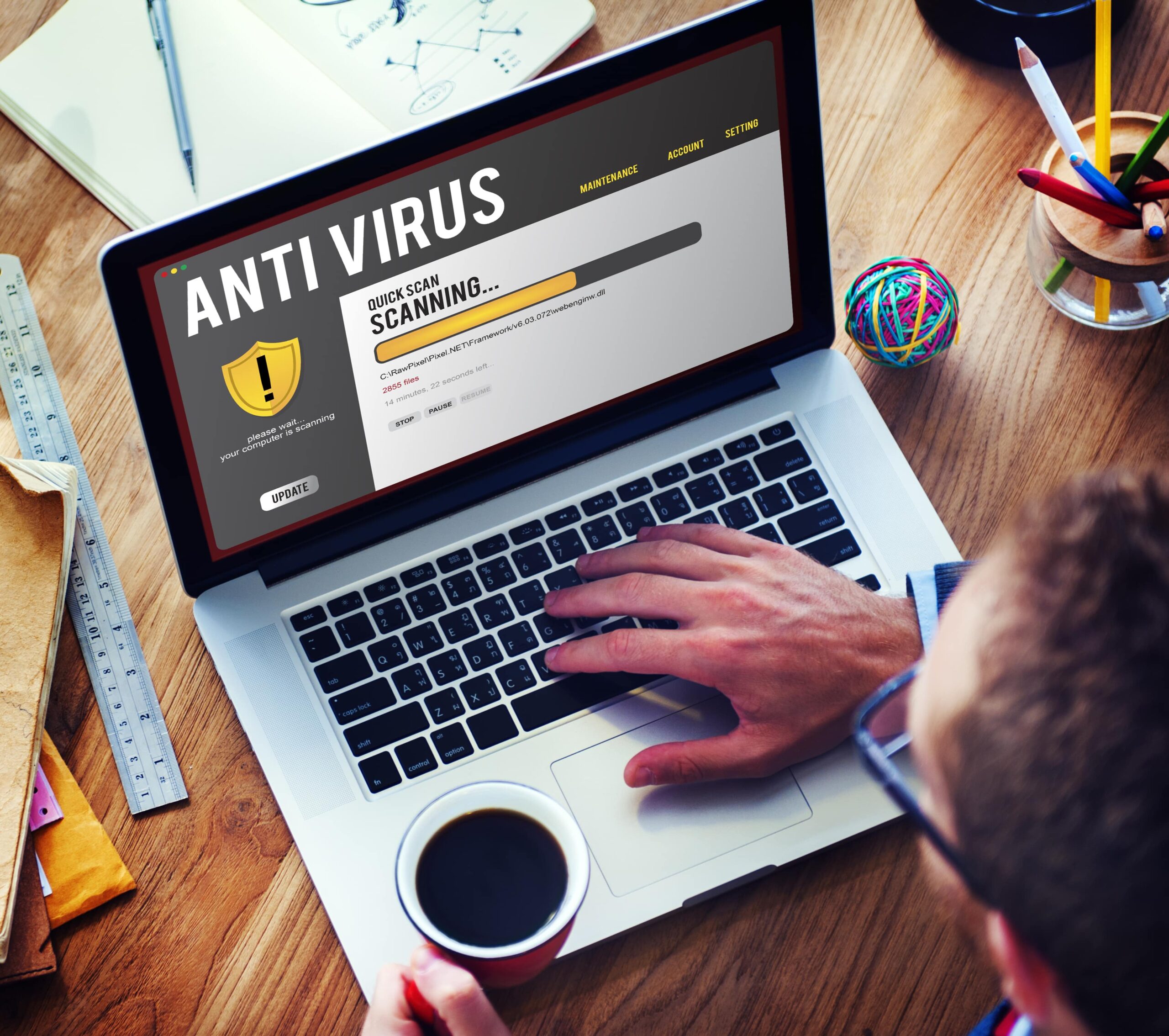
A reputable antivirus or endpoint security solution can help detect and block many types of malicious software.
Keep security software and its threat definitions or detection components updated.
Do not automatically trust an email simply because it appears to come from a familiar person or organization.
Before clicking a link or opening an attachment, consider whether the message was expected and whether the request makes sense. When in doubt, verify the request through an independent channel.
Avoid downloading programs from suspicious websites, unofficial mirrors, or unknown file-sharing platforms.
Be especially cautious with software advertised as free versions of normally paid applications, cracks, key generators, and pirated programs.
A compromised password can give attackers access to multiple accounts if the same password is reused.
Use unique passwords for important accounts and consider using a reputable password manager.
Multi-factor authentication adds another layer of protection beyond a password. Even if a password is stolen, an attacker may still be unable to access an account without the additional authentication factor.
Backups can be extremely valuable when dealing with ransomware, hardware failures, accidental deletion, or other incidents.
Maintain backups of important files and, where appropriate, keep at least one backup separated from the computer or network so that an infection cannot easily affect it.
Removable storage devices can potentially carry malicious files. Avoid connecting unknown USB drives to your computer, particularly when their source is uncertain.
If you believe your computer may be infected, avoid ignoring the problem.
First, disconnect the computer from the internet or network if you suspect an active compromise, particularly if sensitive accounts or business systems are involved. This can help limit communication between the infected device and external systems.
Run a scan using reputable security software and install available security updates. Avoid downloading random "PC cleaners" or security programs from pop-up warnings, as some may themselves be unwanted or malicious.
If important accounts may have been compromised, change passwords from a known-clean device and enable multi-factor authentication where available.
For serious infections—especially those involving business systems, stolen information, or ransomware—professional incident response or technical assistance may be appropriate.
Cybersecurity is not something that can be handled once and forgotten. New malware variants and attack techniques continue to emerge, while attackers constantly look for new ways to exploit technology and human behavior.
The strongest approach is to combine technology with good security habits.
Keep software updated. Use reputable security tools. Back up important data. Be cautious with unexpected links and attachments. Use strong, unique passwords and multi-factor authentication. Most importantly, slow down when something online feels urgent or suspicious.
Computer malware can take many forms, from relatively disruptive adware to sophisticated threats capable of stealing information, encrypting files, or providing unauthorized access to systems.
The good news is that many malware infections can be prevented or their impact reduced through basic cybersecurity practices.
Your computer's security ultimately depends on multiple layers of protection. Staying informed, keeping software updated, using reliable security tools, and thinking carefully before clicking can significantly reduce unnecessary risk.
In cybersecurity, prevention is often easier—and less costly—than recovering from an infection.
 Like
1
Like
1
 Dislike
0
Dislike
0
 Love
1
Love
1
 Funny
0
Funny
0
 Angry
0
Angry
0
 Sad
0
Sad
0
 Wow
1
Wow
1