In today’s hyper-connected world, your computer is constantly exposed to potential threats. Malware—short for malicious software—includes viruses, ransomware, spyware, and other harmful programs designed to damage your system or steal your data. What makes malware especially dangerous is how quietly it can infiltrate your PC. Often, users don’t realize anything is wrong until files are corrupted, personal information is compromised, or the system slows to a crawl. Preventing malware before it strikes is not just a technical task—it’s a daily habit built on awareness, caution, and smart digital behavior.

One of the most important defenses against malware is keeping your system fully updated. Software developers regularly release updates to patch security vulnerabilities that hackers actively exploit. Ignoring these updates leaves your system exposed to known threats. Enabling automatic updates for your operating system, web browser, and essential applications ensures you’re always protected against the latest risks. Alongside updates, removing unused or outdated programs reduces the number of potential entry points for attackers.
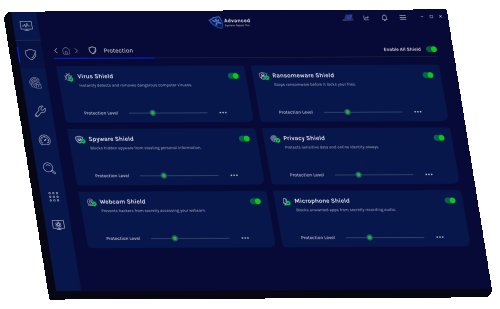
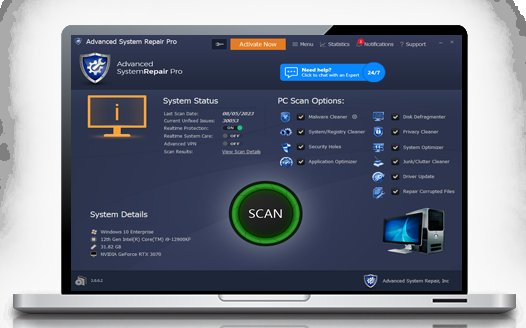
Equally critical is the use of reliable security software. A trusted antivirus or anti-malware program works in the background, scanning files, monitoring behavior, and blocking suspicious activity before it can cause harm. Modern security tools offer real-time protection, firewall integration, and web threat detection. However, installing software alone isn’t enough—you need to keep it updated and configured correctly to maximize its effectiveness.
Human behavior plays a major role in malware infections. Phishing attacks, for example, trick users into clicking malicious links or downloading infected attachments by disguising themselves as legitimate messages. These emails often create a sense of urgency or curiosity, prompting quick action without careful thought. Developing the habit of verifying senders, inspecting links, and avoiding unexpected attachments can dramatically reduce your risk. When in doubt, it’s always safer to ignore or delete suspicious messages.
Downloading files from untrusted sources is another common way malware spreads. Free software from unofficial websites may come bundled with hidden threats that install silently alongside the intended program. Sticking to official websites, verified app stores, and well-known developers helps ensure that what you download is safe. It’s also wise to read reviews and check permissions before installing anything new on your system.
Strong passwords and multi-factor authentication add another layer of protection. While they may not directly stop malware, they prevent unauthorized access that could lead to malicious installations or data breaches. Using unique passwords for different accounts and enabling extra verification steps makes it significantly harder for attackers to gain control of your devices or online services.
Your web browser is one of the most frequently used—and targeted—applications on your PC. Securing it properly can make a big difference. Limiting extensions to only those you trust, enabling built-in security settings, and avoiding suspicious websites reduces exposure to harmful scripts and downloads. Many modern browsers also warn users about unsafe sites, but these warnings are only effective if you take them seriously.
Even with all precautions in place, no system is completely immune to threats. That’s why regular data backups are essential. Whether stored on an external drive or in the cloud, backups ensure that you can recover your important files in case of a ransomware attack or system failure. A solid backup strategy turns a potential disaster into a manageable inconvenience.
Public Wi-Fi networks present another layer of risk, especially when unsecured. Hackers can intercept data or inject malicious content into your browsing session. Using a virtual private network (VPN) and avoiding sensitive activities on public connections can help keep your data safe. Simple steps like disabling file sharing and logging out of accounts also reduce exposure.
Ultimately, preventing malware is about staying informed and vigilant. Cyber threats continue to evolve, and attackers are constantly developing new tactics to bypass defenses. By combining updated technology with cautious online behavior, you create a strong barrier against potential attacks. The goal isn’t just to react to threats—it’s to stop them before they ever reach your PC.
 Like
0
Like
0
 Dislike
0
Dislike
0
 Love
0
Love
0
 Funny
0
Funny
0
 Angry
0
Angry
0
 Sad
0
Sad
0
 Wow
0
Wow
0