Protect Your Online Identity
Whenever you use a social network, send a text, or post online, you're adding to your online identity. Your online identity may be different from your real-world identity — the way your friends, parents, and teachers think of you. Trying on different personas is part of the fun of an online life. You can change the way you act and present yourself to others, and you can learn more about things that interest you. And, just as in real life, you can take steps to help you stay in control.
Protect Your Online Identity
Written by : Raymond - Cybersecurity Expert
Published on 2025-10-18 / 23:54

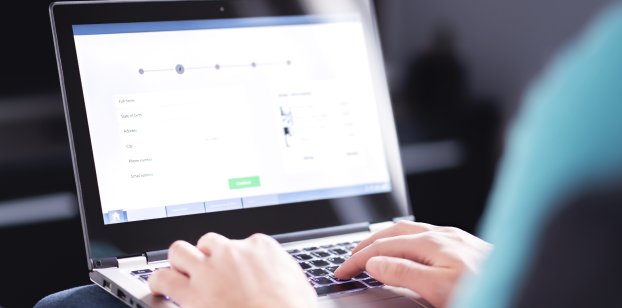
Scam, Hacker, Fraudulent online, Personal Data Protection, Identity theft concept, Businessman Being deceived the Internet To steal personal information, Call, Email, credit card and ID card Number

10 Ways to Protect Your Identity Online

1. Beware of Public Wi-Fi

Public Wi-Fi isn’t secure. Yet, there are ways to safeguard your information when you are on the go. Implement best practices such as:  

  • Choose not to access personal or financial information on public Wi-Fi.  
  • Don’t stay permanently logged into websites.  
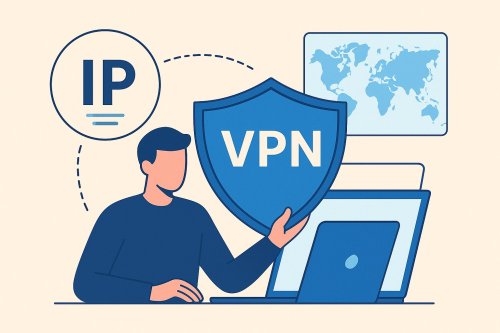
  • Consider using a virtual private network (VPN). Many VPNs offer data encryption that will help secure your information.  
  • Utilize your mobile data. Mobile data is usually encrypted.  
  • Listen to warnings from your web browsers. They will often alert you before you enter a fraudulent site or download malicious programs.  
  • Install browser plug-ins that force your browser to use encryption on popular websites that aren’t encrypted.  
  • Turn off your device’s setting that automatically connects to nearby Wi-Fi.  

2. Build Strong Passwords 

Weak passwords make data breaches easy. Unfortunately, most people aren’t using strong passwords—and even worse, they’re reusing the same ones across multiple accounts.

3. Always Use MFA 

MFA stands for multi-factor authentication. It is an authentication method that requires the user to provide two or more verification factors to gain access to a resource.   

It is a core component of a strong identity and access management (IAM) policy. If you have the choice, use it to decrease the likelihood of a successful cyber attack.  

4. Scan Email Links & Attachments 

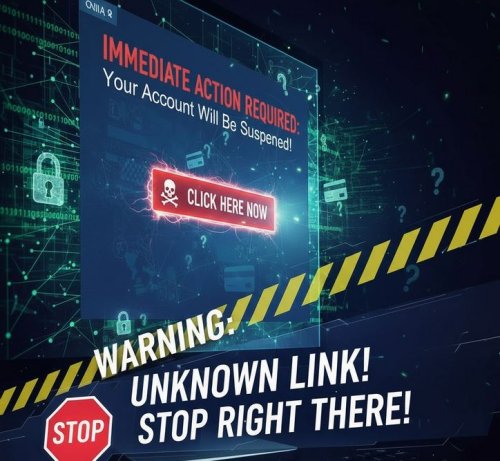
Be especially cautious when you receive an unexpected email. Make sure to always hover your cursor over links to verify that the link is from a trusted site.   

5. Limit Social Sharing 

Cybercriminals love social media because people often overshare personal information. They can piece together data from social sites to conduct identity theft or conduct cyber attacks.   

Make an informed decision before posting info on your profile. Use privacy settings to prevent your data from being easily accessible.  

6. Note a Website's Security 

Secure websites feature “https” at the beginning of the web address. These sites encrypt data. This helps keep your personal data safe.   

However, scammers know how to create these encrypted sites, too. They often create fake, encrypted sites that look like organizations you are familiar with. This means that not all HTTPS sites are legit.   

A truly secure, legitimate site should:

  • Feature a modern, up-to-date design.
  • Have a correctly spelled URL (website address) with no typos or lookalike characters.
  • Display security seals that link to the issuing company’s website for more details.
  • Avoid spamming you with exaggerated promises, unusually low prices, or blinking ads.

7. Regularly Install Updates & Patches 

Installing updates and security patches might not be fun, but it is important to your cybersecurity. Uninstalled patches can leave you vulnerable to cyber attacksYou’re leaving the door open for cybercriminals to steal your personal data.  

8. Look Out for Signs of Scamming

Watch for these signs to identify an online scam attempt:  

  • You’re unexpectedly contacted.  
  • You’re told to keep a transaction a secret.  
  • The message requires urgent action.  
  • You’re asked to wire money or to buy prepaid debit cards.  
  • You’re asked to supply personal information.  
  • The message you receive sounds too good to be true.  

9. Secure Data with Backups 

Data security is an essential aspect of your business continuity. Data backups are an important part of this process because they allow you to have a copy of your systems ready to restore. Encrypt the backup file for added security.  

10. Be Wary of Unexpected Texts & Phone Calls  

One of your business’s key vendors is calling. You answer, only to learn that a payment for services—now overdue by months—is urgently needed. Your company owes them $5,238.21.

They warn that they’ll end their contract if you don’t pay today. To complicate matters, you’re responsible for handling their payments.

How did this happen? You’re busy, under pressure from the executive team, and things have been tough at home. The call ends, but soon after, the vendor texts, demanding payment within the hour, threatening to work with a competitor if they don’t receive it. Panic sets in.

You can’t afford to lose your job. Resolving this immediately seems critical. But should you?

Take a moment. Breathe.

Never share personal information or send money on impulse. Chances are, it’s a vishing scam.

Scammers thrive on impersonation and emotional pressure. They push you to act quickly, hoping you won’t stop to question their legitimacy.

Instead, end the call. Contact the organization directly (using a known number) to confirm the details—especially if the request was unexpected.

Protecting Your Online Identity is Possible

Now that you’re equipped with the knowledge to protect your identity online, you can take action to prevent scammers from targeting you. By staying current with your training, you’ll continue to safeguard yourself even as scammers develop new, sophisticated tactics.  

Remember, always be proactive. 

What's Your Reaction?

Like Like 0
Dislike Dislike 0
Love Love 0
Funny Funny 0
Angry Angry 0
Sad Sad 0
Wow Wow 0

Related Posts